
Pearl Harbor Lodge dues can now be paid online through Groupable, our Membership Management System. We are no longer using PayPal — instead, payments are securely processed through Stripe, integrated directly into Groupable.
Below are step-by-step instructions to pay your dues online.
Click here to log in: https://hi.moriapp.com/login
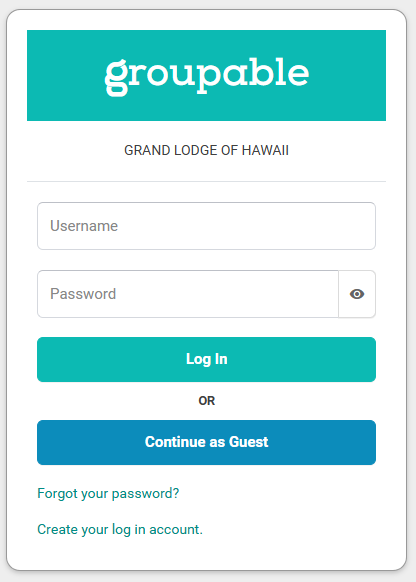
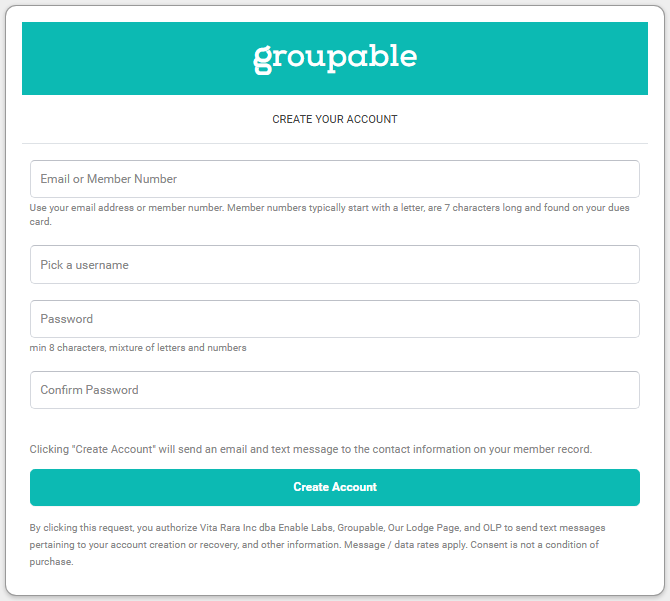
On the login page, click “Create your log in account.”
Fill out the form using:
Your email address (the one we have on file), or
Your Lodge Membership Number (begins with an M followed by six numbers).
If you’re unsure which email we have on file or don’t know your membership number, please contact the Secretary for assistance.
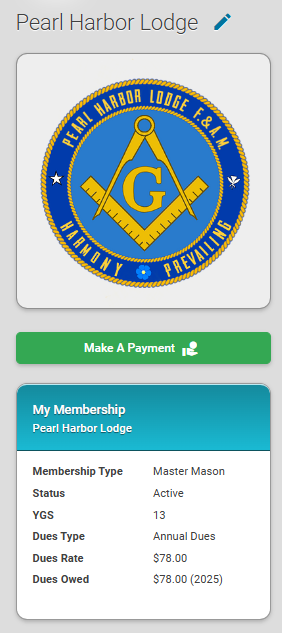
Once logged in, under the Pearl Harbor Lodge logo, click the “Make a Payment” link.
You’ll see a summary of your:
Years of Good Service
Dues Rate
Dues Owed
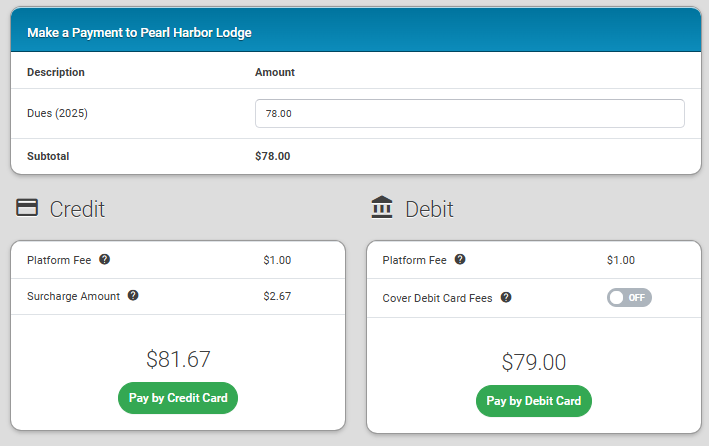
On the payment screen, review the details and enter your debit or credit card information.
You’ll have the option to cover the card processing fees on behalf of the Lodge.
Submit your payment securely through Stripe.
After your payment is completed, your Grand Lodge of Hawaii / Pearl Harbor Lodge dues card will be updated immediately to reflect that you’re current.
You can still pay by check if you prefer:
First, confirm your dues amount via Groupable (or email the Secretary).
Make your check payable to Pearl Harbor Lodge.
Mail it to:
Pearl Harbor Lodge
PO Box 3115
Honolulu, HI 96822
Note: Your dues card will not be updated immediately if paying by check, and the payment will be processed by the Treasurer at the next Stated Meeting.
If you have any questions or need help with your account, please don’t hesitate to contact the Secretary. Thank you for your support of Pearl Harbor Lodge!